Hey everyone! Welcome back to my tech blog.
Today, I want to share my experience with something that always sounded complicated to me: Elasticsearch.
If you're a beginner, you've probably heard people say, "Use Elasticsearch for search." That made me wonder:
What exactly is Elasticsearch? Why can't we just search using PostgreSQL or any other database?
After using it in one of my projects, I finally understood why it's so popular. Here's my simple explanation.
What is Elasticsearch?
Imagine you have a huge library with thousands of books.
A normal database stores all the books in an organised way. If you want to search for books containing the word "Python", the database may need to scan many records (depending on the query and indexes) before finding the matching ones. As your data grows, complex text searches can become slower.
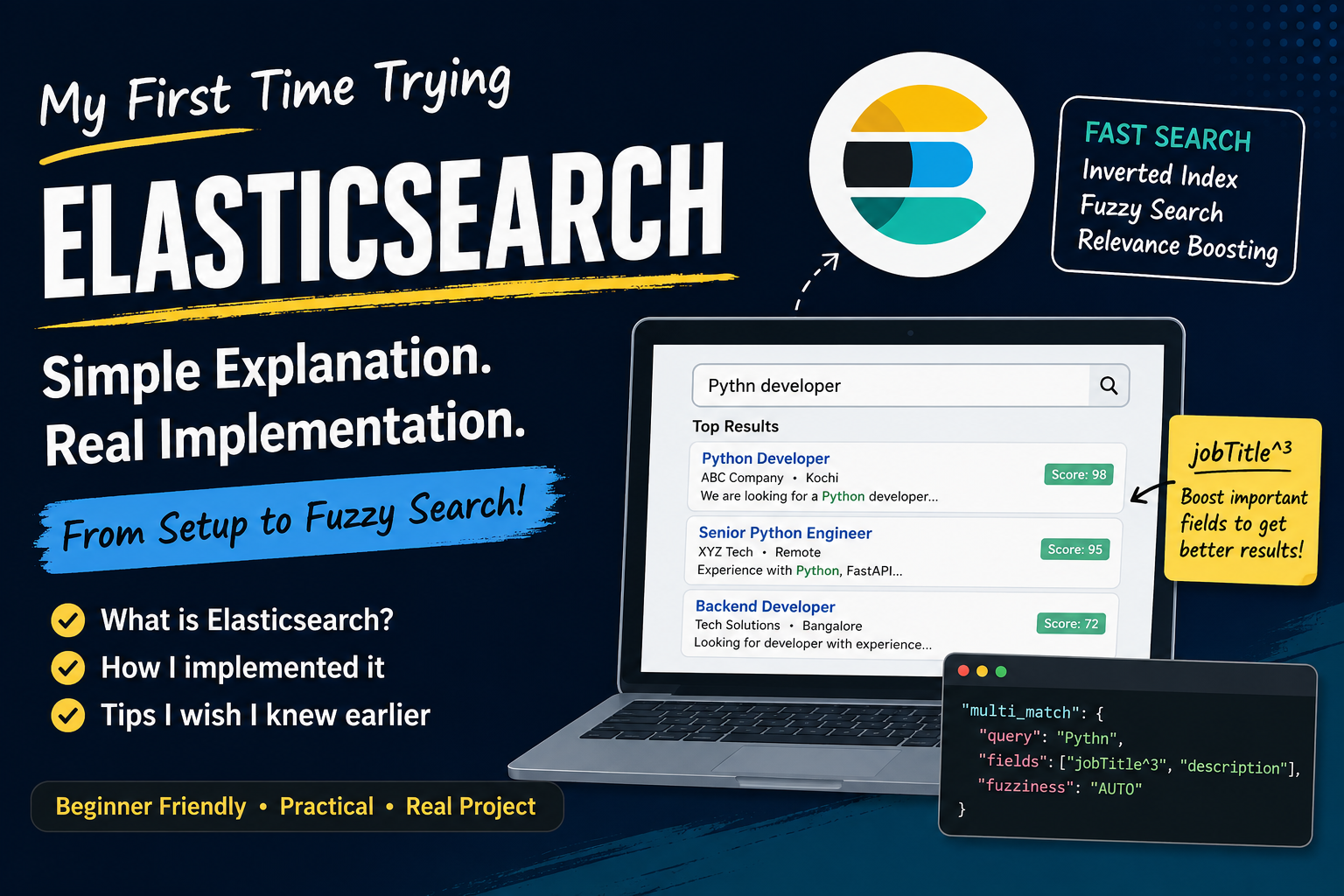
Elasticsearch is designed specifically for searching text. Instead of checking every record, it builds something called an Inverted Index.
Think of it like the index at the back of a book. Instead of searching every page, it already knows where each word appears, making searches much faster.
This is why Elasticsearch is widely used for applications like:
- Job portals
- E-commerce product search
- Blogs
- Documentation websites
- Log searching
How I Implemented It
Step 1: Running Elasticsearch with Docker
Instead of installing Elasticsearch directly on my machine, I used Docker.
elasticsearch:
  image: docker.elastic.co/elasticsearch/elasticsearch:8.11.1
  ports:
    - "9200:9200"
  environment:
    - discovery.type=single-node
    - xpack.security.enabled=false
After running:
docker compose upElasticsearch was available on port 9200.
Step 2: Connecting Python
I used the official Python Elasticsearch client.
Whenever a new job is created in my application, I also store a searchable copy in Elasticsearch.
from elasticsearch import AsyncElasticsearch

es_client = AsyncElasticsearch("http://localhost:9200")

await es_client.index(
    index="jobs",
    id=job.id,
    document={
        "jobTitle": job.jobTitle,
        "company": job.company,
        "location": job.location,
        "description": job.description,
    }
)A Small Issue I Faced
One thing that confused me was the client version.
My Docker container was running Elasticsearch 8.x, but I accidentally installed the Python Elasticsearch 9.x package.
That resulted in this error:
BadRequestError (media_type_header_exception)The fix was simply to use matching versions.
For Elasticsearch 8.x, install a compatible Python client such as:
elasticsearch>=8.11.0,<9.0.0Step 3: Searching Jobs
Instead of searching directly from PostgreSQL, I search using Elasticsearch.
response = await es_client.search(
    index="jobs",
    body={
        "query": {
            "multi_match": {
                "query": "Pythn",
                "fields": ["jobTitle^3", "description"],
                "fuzziness": "AUTO"
            }
        }
    }
)
One feature I really liked is Fuzzy Search.
For example, if someone searches for:
PythnElasticsearch can still understand that they probably meant:
PythonThis makes the search experience much better for users.
What does jobTitle^3 mean?
The ^3 is called boosting.
It tells Elasticsearch that matches in the jobTitle are more important than matches in the description.
So if the search term appears in both places, the document with the matching job title is ranked higher.
What I Learned
The biggest thing I noticed wasn't just the speed.
I also liked how the search results felt more relevant.
Even when I searched with small spelling mistakes, Elasticsearch still returned useful results.
I could see why many real-world applications use it for search functionality instead of relying only on database queries.
Final Thoughts
If you're building a small application with only a few records, your database search is probably enough.
But if you're building something like a:
- Job portal
- Product catalogue
- Blog platform
- Documentation website
then Elasticsearch is definitely worth learning.
I always thought it would be difficult to set up, but using Docker and the official Python client made the process much easier than I expected.
This was my first experience with Elasticsearch, and I'm looking forward to exploring more features like filtering, autocomplete, aggregations, and ranking in future projects.
Thanks for reading, and see you in the next blog!