
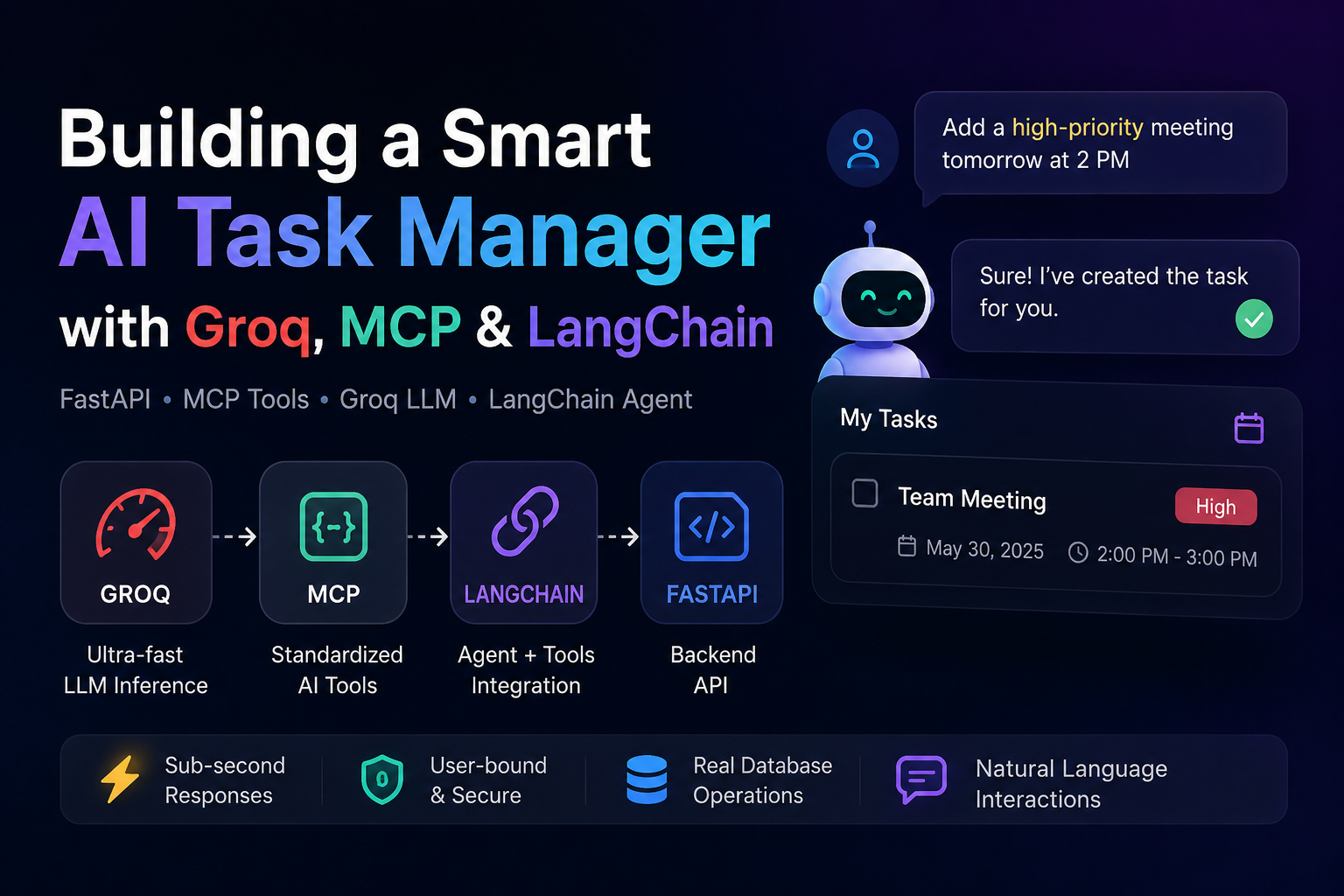
While learning about Model Context Protocol (MCP) and LangChain, I wanted to understand how they could be used in a real application instead of just trying simple examples.
To explore this, I integrated them into one of my FastAPI projects—a weekly planner chatbot. The chatbot can understand natural language and perform actions such as creating, updating, deleting, and listing tasks.
This blog documents how I structured the implementation and how these technologies work together.
Technologies Used
The project combines three main components.
- Groq – Provides fast inference for open-source language models, making chatbot responses feel responsive.
- Model Context Protocol (MCP) – A standard way to expose backend functions as AI tools.
- LangChain – Connects the language model with the available tools and manages the conversation flow.
Project Structure
The implementation is divided into three main parts.
app/
├── mcp_server.py
├── services/
│   └── mcp_tools.py
└── routes/
    └── v1/
        └── chatbot_routes.py
Each file has a different responsibility.
- mcp_server.py exposes the available MCP tools.
- mcp_tools.py contains the actual business logic.
- chatbot_routes.py connects Groq, LangChain, and the tools.
MCP Server
The MCP server is created using FastMCP.
Functions are registered as tools using the @mcp.tool() decorator.
from mcp.server.fastmcp import FastMCP
from app.services import mcp_tools

mcp = FastMCP("WeeklyPlannerMCP")

@mcp.tool()
async def create_task(
    title: str,
    date: str,
    startTime: str,
    endTime: str,
    priority: str = "medium",
    description: str = None,
):
    user = await get_mcp_user()

    return await mcp_tools.create_task_tool(
        user=user,
        title=title,
        date=date,
        startTime=startTime,
        endTime=endTime,
        priority=priority,
        description=description,
    )
The MCP server itself doesn't contain business logic. Its responsibility is simply to expose backend functionality as standard MCP tools.
Authentication
One thing I found interesting while implementing MCP was authentication.
The tools may be executed through different transports, such as stdio or HTTP/SSE, so the authenticated user cannot always be retrieved in the same way.
In this project, the user is obtained either from:
- FastAPI middleware context (
mcp_user_var) - Environment variables (
AUTH_TOKENorMCP_USER_EMAIL)
This ensures every tool runs only for the authenticated user.
Shared Tool Logic
Instead of writing the database logic inside the MCP server and again inside the chatbot, all task operations are kept in a shared service.
For example, listing tasks looks like this:
async def list_my_tasks_tool(
    user,
    from_date=None,
    end_date=None,
):
    tasks = await task_service.list_tasks(
        user.id,
        from_date,
        end_date,
    )

    if not tasks:
        return "No tasks found."

    lines = []

    for task in tasks:
        lines.append(
            f"- [{task.status.value}] {task.title}"
        )

    return "\n".join(lines)
Both the MCP server and the chatbot reuse the same functions, which avoids duplicating database logic.
Connecting Groq
Inside the chatbot route, the language model is initialized.
from langchain_groq import ChatGroq

llm = ChatGroq(
    model=setting.GROQ_MODEL_NAME,
    api_key=groq_key,
    temperature=0.3,
)
Groq is only responsible for understanding the user's request and deciding whether a tool should be executed.
Creating User-Bound LangChain Tools
Although MCP tools already exist, I also created LangChain tools inside the API route.
The reason is that these tools can directly capture the authenticated user.
from langchain_core.tools import tool

@tool
async def create_task(
    title: str,
    date: str,
    startTime: str,
    endTime: str,
):
    return await mcp_tools.create_task_tool(
        user=current_user,
        title=title,
        date=date,
        startTime=startTime,
        endTime=endTime,
    )
This guarantees that every operation is performed only on the logged-in user's data.
Conversation History
To make conversations more natural, previous messages are converted into LangChain message objects.
from langchain_core.messages import (
    AIMessage,
    HumanMessage,
)

formatted_history = []

for message in data.chat_history:
    if message.role == "user":
        formatted_history.append(
            HumanMessage(content=message.content)
        )
    else:
        formatted_history.append(
            AIMessage(content=message.content)
        )
These messages are passed back to the model so it can respond with context from earlier parts of the conversation.
Running the Agent
The chatbot uses a LangChain tool-calling agent.
A prompt is created with:
- system instructions
- previous conversation
- current user message
- agent scratchpad
prompt = ChatPromptTemplate.from_messages([
    ("system", "..."),
    MessagesPlaceholder("chat_history"),
    ("human", "{input}"),
    MessagesPlaceholder("agent_scratchpad"),
])

agent = create_tool_calling_agent(
    llm,
    tools,
    prompt,
)

executor = AgentExecutor(
    agent=agent,
    tools=tools,
)
When the user sends a message, the agent decides whether it should answer directly or call one of the available tools.
response = await executor.ainvoke(
    {
        "input": data.message,
        "chat_history": formatted_history,
    }
)
If a tool is required, LangChain executes it automatically and uses the result to generate the final response.
Overall Flow
User
   │
   ▼
FastAPI Chat Endpoint
   │
   ▼
Groq (LLM)
   │
   ▼
LangChain Agent
   │
   ├───────────────┐
   │               │
Needs Tool?     Normal Reply
   │
   ▼
LangChain Tool
   │
   ▼
Shared MCP Tool Logic
   │
   ▼
Database
   │
   ▼
Tool Result
   │
   ▼
Groq
   │
   ▼
Final ResponseWhat I Learned
Working on this implementation helped me understand the responsibilities of each component.
- MCP provides a standard way to expose backend capabilities as tools.
- LangChain manages conversations and decides when a tool should be executed.
- Groq provides fast language model inference.
- Keeping the business logic separate from both MCP and LangChain makes the code easier to maintain and reuse.
Using these together allowed me to build a chatbot that understands natural language while interacting with the application's existing backend services instead of relying on hardcoded command parsing.
Jobi S S
admin
Sharing technical insights, engineering concepts, and practical modern software development guides.
Community Discussion
Enjoyed this read? Show your support or share your thoughts.